HTTP debugging proxy for iOS
See every request your iPhone apps make. On the iPhone.
ProxyGecko captures, decrypts and rewrites the HTTP and HTTPS traffic of any app, right on your phone. No Mac, no cables, no cloud. Set up in about a minute.
Free to capture and inspect. Pro from $2.99/month or $29.99 once.
How it works
Three steps, then traffic starts flowing.
A guided checklist walks you through it. No Wi-Fi proxy settings, no computer.
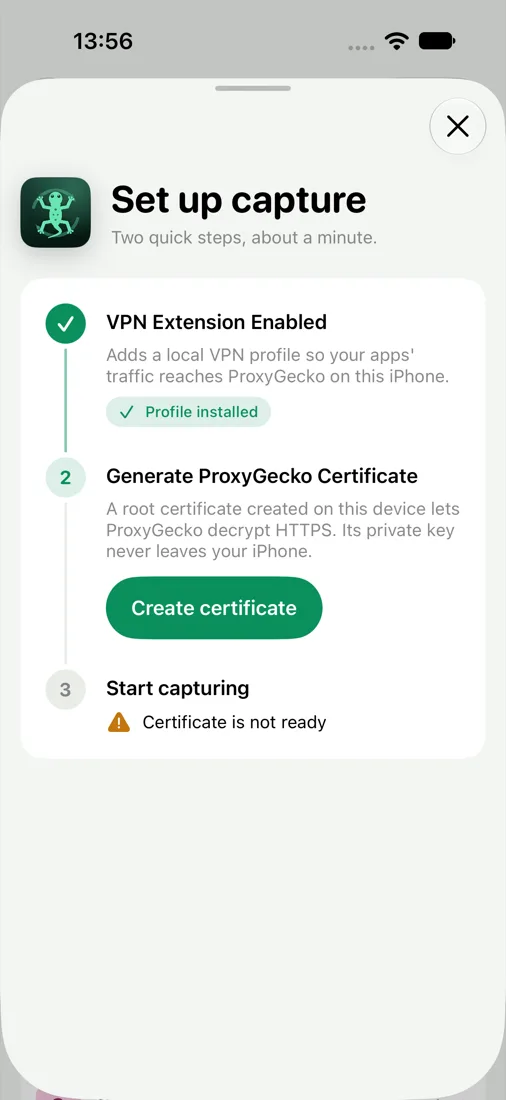
Allow the local VPN
iOS asks once. The VPN never leaves your phone; it just hands each connection to ProxyGecko.
Trust your certificate
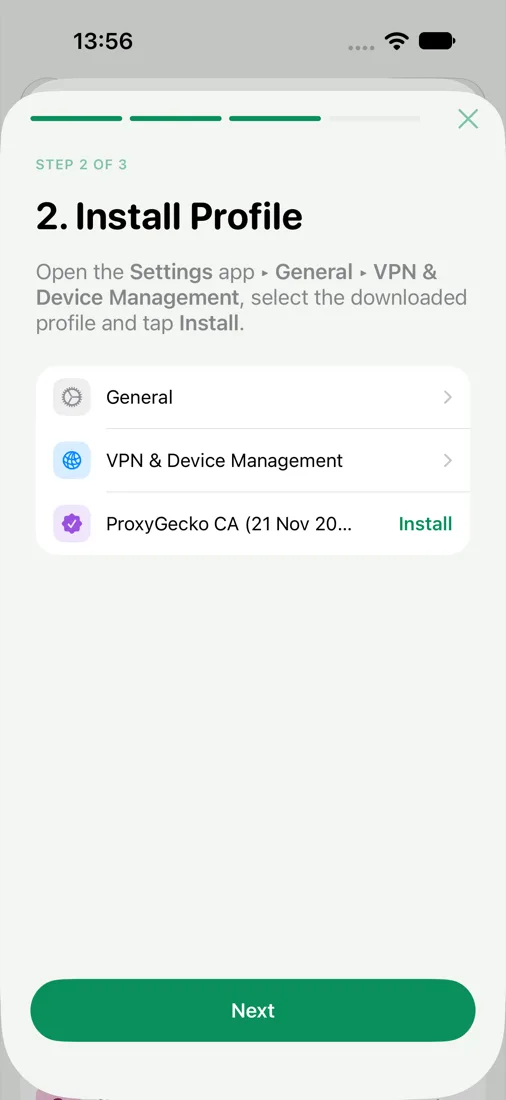
Create a certificate on the device, install it and turn on full trust. Step-by-step screens show where to tap.
Open any app
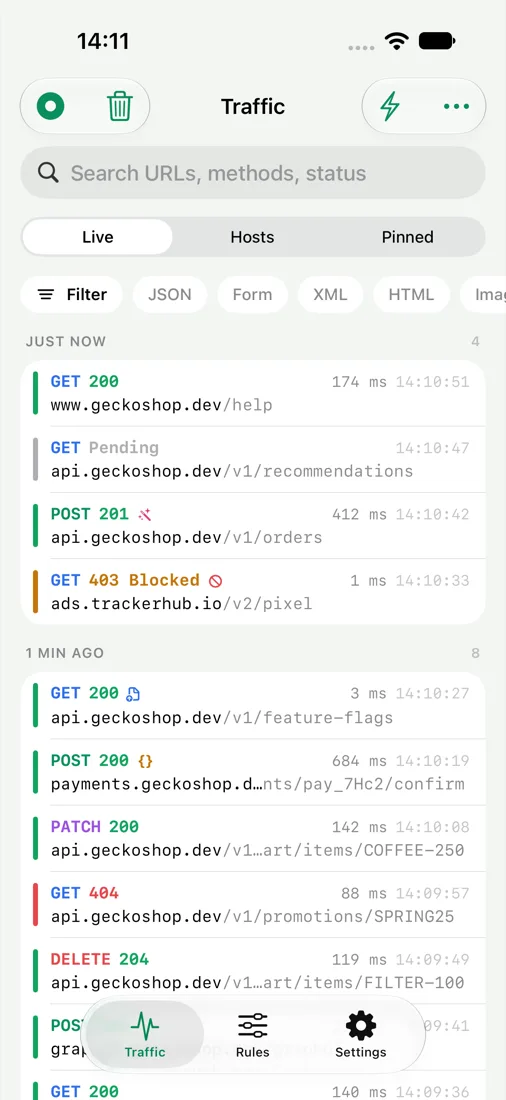
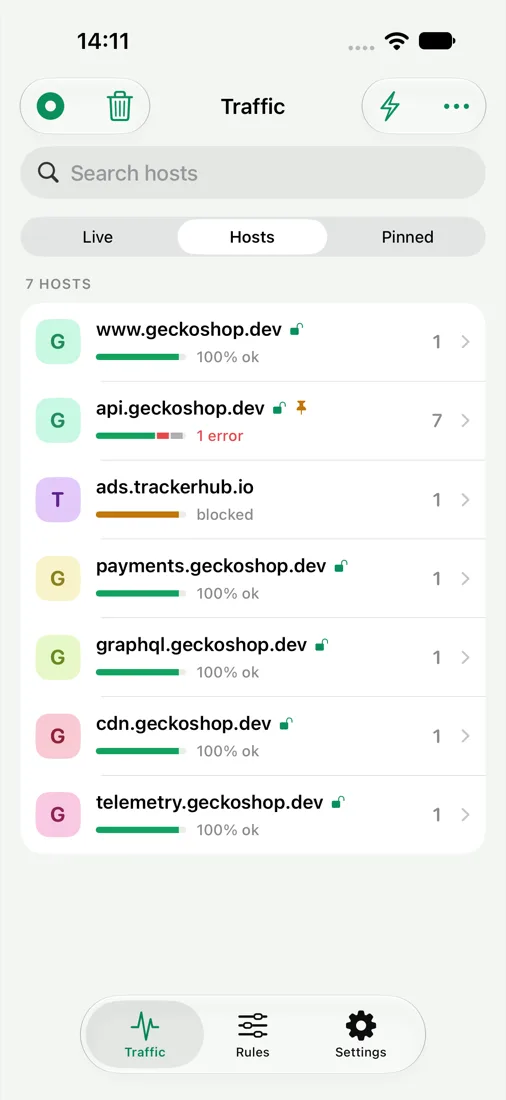
Requests appear live, grouped by minute or by host, with status, method, size and timing.
Features
Inspect it. Then change it.
Everything you reach for in a desktop proxy, built for a phone screen.
Inspect
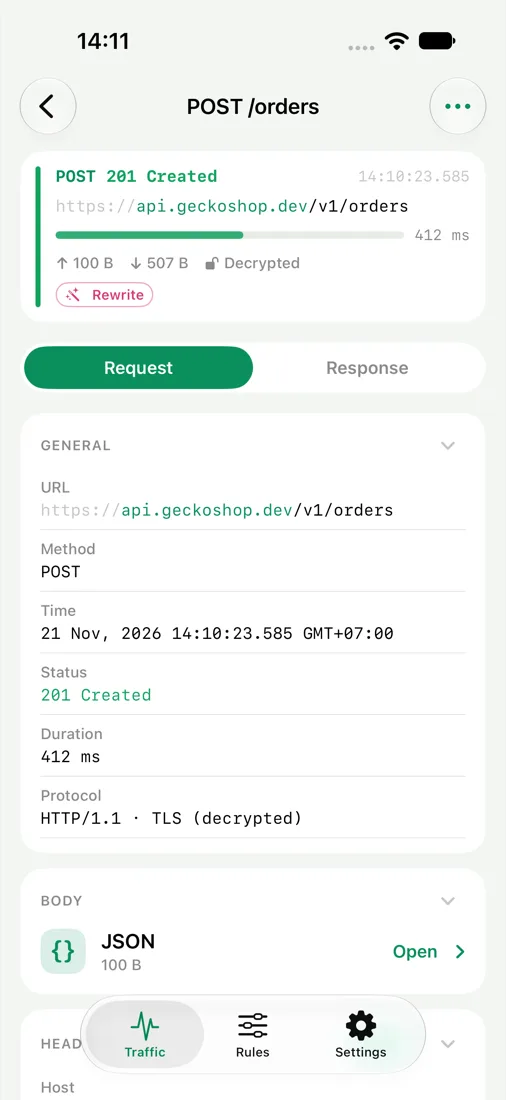
Read every request and response.
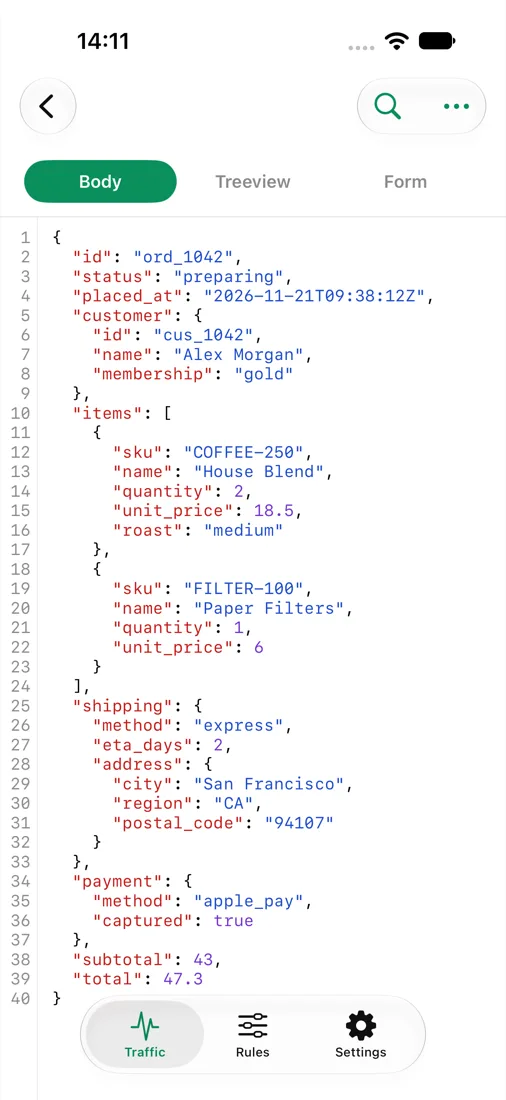
Headers, query, cookies and timing in one view. Bodies are decoded and formatted, so a minified API reply or an HTML page is actually readable.
- JSON tree and pretty-printed JSON, HTML and XML
- Search everything; filter by JSON, HTML, images, WebSocket or errors
- Copy as cURL, or share a whole session as HAR
- Pin requests to keep them handy
Decrypt
HTTPS, only where you ask for it.
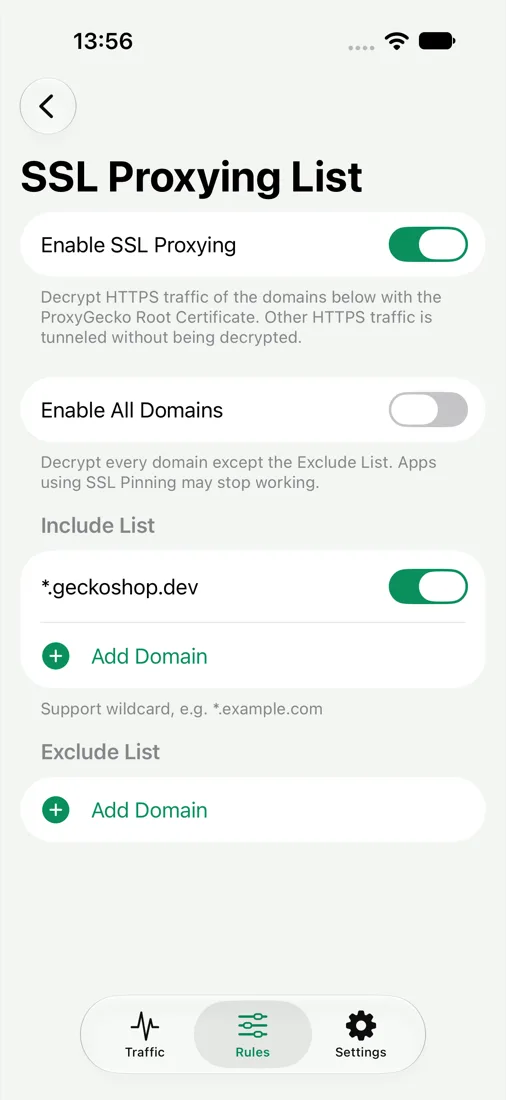
Turn on SSL Proxying per host, so you decrypt the API you are debugging and leave your banking app alone. Everything else passes through as an encrypted tunnel.
- Add hosts with wildcards, or straight from a request
- Encrypted connections stay visible as host and port
- Remove the certificate any time in iOS Settings
Change
Bend the traffic without touching the app.
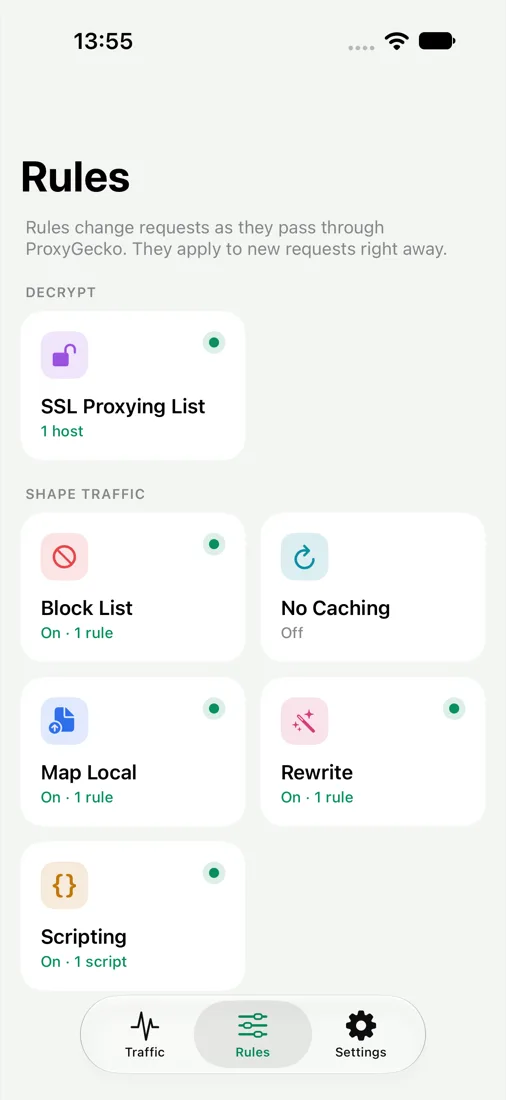
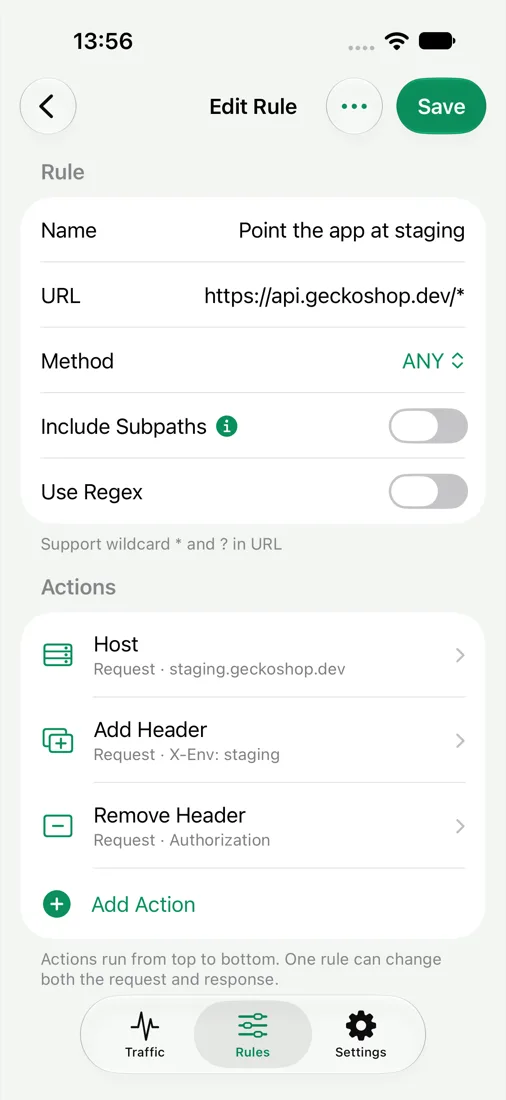
Test an empty state, a slow server or a 500 error without waiting on the backend team. Rules apply to new requests right away.
- Map Local: answer with your own body, status and headers, with an optional delay
- Rewrite: change host, path, method, status, headers, query or body
- Block List: fail requests to hosts or paths you choose
- No Caching: strip cache headers to always hit the server
Script
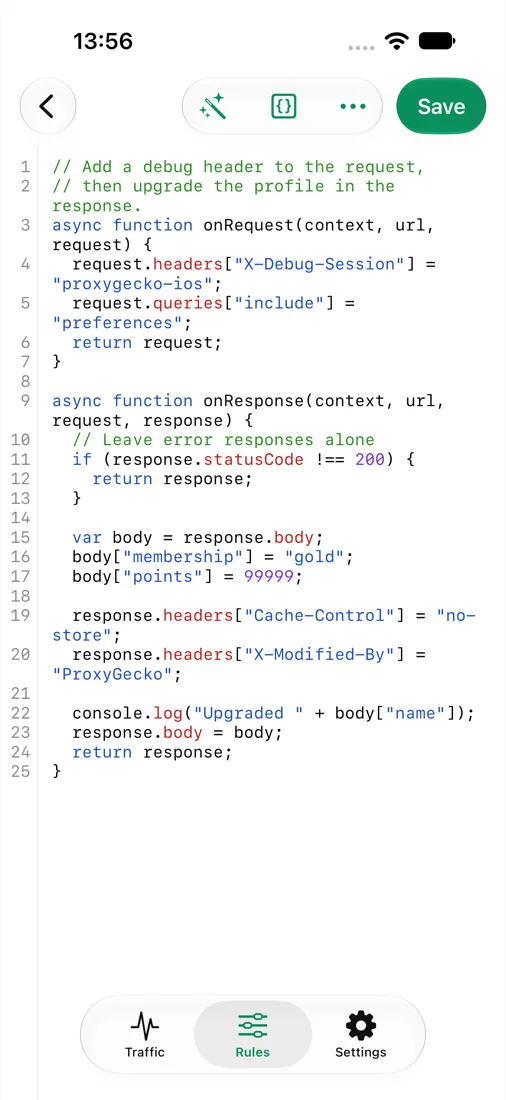
When a rule is not enough, write JavaScript.
Scripting runs your code on matching requests and responses. Read the body, change it, add headers or keep state between calls, with snippets to start from.
- onRequest and onResponse hooks
- Shared state between requests
- Ready-made snippets for common edits
Privacy
Your traffic never leaves your phone.
ProxyGecko is a debugging tool, not a service. There is no ProxyGecko server for your requests to go to.
- Captured locally
- Requests are stored on the device and deleted when you clear them.
- Certificate made on-device
- The private key is created on your iPhone and never uploaded.
- No account, no analytics
- We don't know who you are or what you inspect. Purchases go through Apple.
Pricing
Free to look. Pro to change things.
Capture and inspect for free. Pro unlocks unlimited HTTPS decryption and every rule tool.
Monthly
Cancel anytime
- Every Pro feature
- Billed monthly
Yearly SAVE 44%
7-day free trial, then $1.67/month
- Unlimited SSL Proxying
- Map Local, Rewrite, Scripting
- Every update included
Lifetime ONE-TIME
Pay once, keep it forever
- Every Pro feature
- No subscription
Capture and inspect all traffic, decrypt HTTPS for up to 3 hosts, Block List and No Caching. No time limit.
US prices. The App Store shows the price for your country before you buy. Subscriptions renew automatically until cancelled; cancel at least 24 hours before renewal in Settings › Apple Account › Subscriptions.
FAQ
Questions developers ask first.
Do I need a Mac or a computer?
No. The proxy runs inside the app on your iPhone, so you can debug on the train, on cellular, or on a test device with nothing plugged in.
Why does it need a VPN?
iOS only lets an app see other apps' connections through a VPN. ProxyGecko's VPN is local: it sends each connection to the proxy in the app, then out to the internet as usual. Nothing goes to a remote VPN server.
Is installing a root certificate safe?
The certificate and its private key are generated on your device and never leave it. Only turn on decryption for hosts you are debugging, and you can delete the certificate in Settings › General › VPN & Device Management whenever you are done.
Will it decrypt every app?
Most apps, yes. Apps that use certificate pinning reject any certificate other than their own, so their traffic still shows as an encrypted tunnel with host and port. That is by design and protects those apps.
Does it slow down my phone or drain the battery?
Only while capturing. Turn capture off with one tap from the toolbar and traffic goes back to normal.
How do I cancel or restore a purchase?
Subscriptions are managed by Apple in Settings › Apple Account › Subscriptions. On a new device, tap Restore Purchases in ProxyGecko's Settings.

Stop guessing what the app sent.
Start the capture, open the app, and read the request.